The Bambu Lab P1S can appeal when the goal is making useful objects rather than making printer setup the main hobby. Its enclosure and integrated workflow belong in the comparison. So do the costs that arrive after the box.
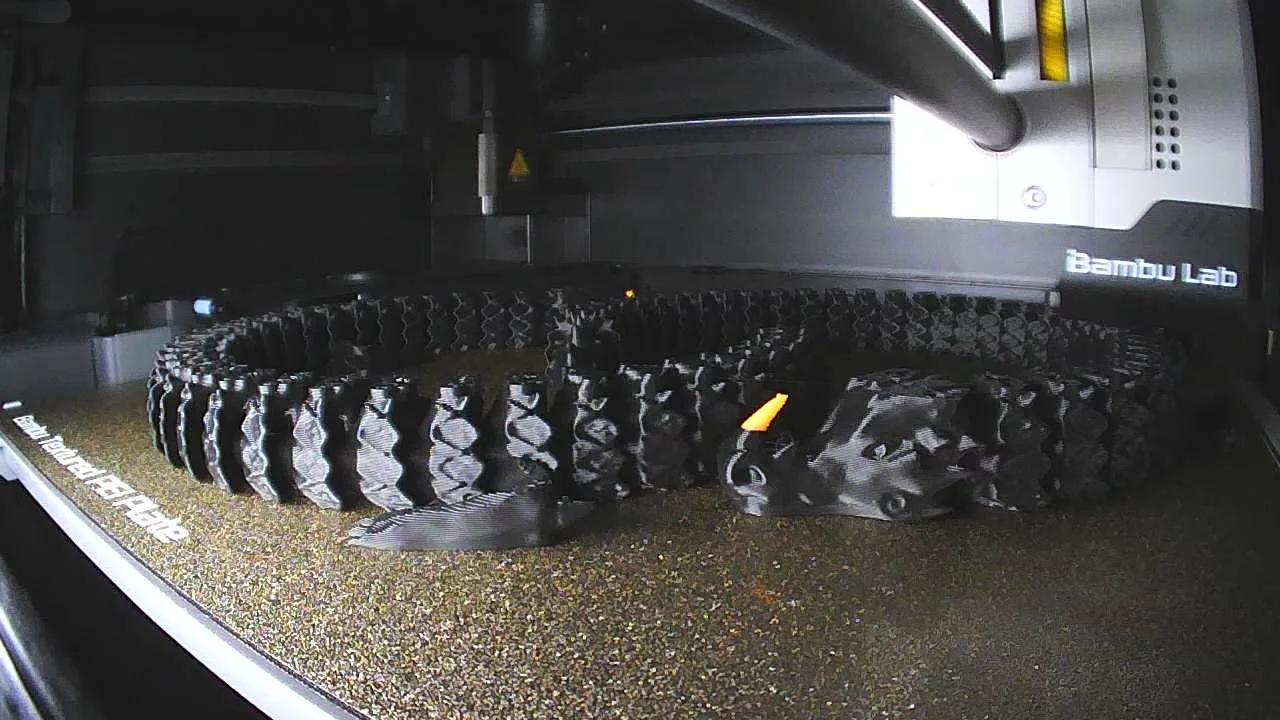
This is a research-based guide using manufacturer documentation, not a hands-on test. We have not measured quality, reliability, noise, or speed. The pictured print comes from attributed third-party footage.
What the hardware documents establish
The P1S specification sheet lists a nominal 256 × 256 × 256 mm build volume, all-metal hotend, and stock 0.4 mm stainless-steel nozzle. Bambu's product page describes the enclosed body and its multi-material options.
Volume is a starting specification, not a promise that every object of those dimensions works in every orientation. Supports, clearance, material behavior, and slicing settings affect the job. Check the design in the slicer before assuming it fits.
Choose three real projects first
List objects you would actually make: a drawer insert, cable holder, or non-critical replacement bracket. Find files or sketch dimensions, then inspect required materials and estimated print time.
That reveals whether an enclosure, a specific polymer, or multi-color printing solves your problem. Our view: buy around repeatable uses rather than the most impressive demonstration. An attractive printer should not need to invent a hobby for you.
Treat the AMS as a workflow decision
A multi-material system can make color changes convenient. It also adds cost and compatibility checks. Confirm the exact AMS model, adapters, firmware requirements, and bundle contents offered in your region.
Look at the slicer's estimates for purge waste and time on a multi-color job. Filament used during color changes may never become part of the object. Decide whether that capability matters to your projects; a functional organizer may not need it.
Check the entire material path
Bambu's compatibility guidance cautions against directly using fiber-reinforced filament in the stock setup before appropriate hotend and extruder upgrades. An enclosure does not make every engineering material suitable.
Verify nozzle, extruder, temperature, build-surface, and feeding requirements for the exact filament. Printer compatibility does not establish AMS compatibility. Follow equipment and material instructions for drying, handling, and workspace ventilation.
Budget beyond the machine
Include delivered price, filament, storage or drying needs, wear parts, and a stable working surface. Reserve material for failed prototypes. For a print-selling business, include labor, packaging, design rights, and returns before calling the machine profitable.
Use current retailer totals. This guide does not promise the lowest price or rank the P1S against every newer printer.
Who should shortlist it
Consider it for an enclosed workflow and projects within its documented limits. Compare alternatives if you need much larger parts, specialized materials, or unlisted capabilities.
The useful decision is whether it simplifies your intended work at a total cost you accept. Reconfirm specifications and bundle compatibility before purchase; published features do not establish real-world performance on your files.
Put a complete setup budget beside the printer price
Here is an invented budgeting exercise in U.S. dollars. None of these amounts is a current P1S price, retailer quote, accessory recommendation, or promise that a workspace can be prepared for that sum. Replace every row with your own delivered cost and mark items already owned.
| Planning line | Hypothetical amount |
|---|---|
| Printer | $600 |
| Shipping and tax allowance | $75 |
| Initial filament | $50 |
| Material storage allowance | $30 |
| Wear-parts allowance | $45 |
| Work-surface allowance | $100 |
| Subtotal | $900 |
| Optional multi-material equipment allowance | $250 |
| Subtotal with that option | $1,150 |
The $300 difference between the invented printer price and the first subtotal is money unavailable for other projects. The optional equipment adds another $250. Neither subtotal prices any required ventilation assessment or controls, electrical changes, a dryer, extra tools, or business costs. Add those separately when needed; unknown is a useful budget entry, not zero.
Cost one useful object before buying a bundle
Choose a file you would print repeatedly. Save its dimensions, material, required hardware, and slicer settings. Bambu's specification sheet establishes hardware limits; the slicer helps check your particular job. Its estimate is not a measured result from this publication.
For a hypothetical job, 120 grams in the object plus 30 grams of supports and 50 grams of purge material equals 200 grams. At an invented $25 per kilogram, material costs $5.00, compared with $3.00 for the object's mass alone. Failed attempts, electricity, wear, and your time remain additional. Re-slice in one color to see whether the optional workflow earns its cost for that project.
Check the workspace before checkout
Measure space for the printer, door access, spool or accessory placement, cable routing, and maintenance access using the manufacturer's current installation instructions. Confirm the computer and network arrangement you intend to use. List required consumables and who will perform upkeep.
Then assess the location and materials against the NIOSH safe-printing guide. It addresses emissions and controls in shared and small-business spaces. An enclosure or the specification sheet's activated-carbon filter does not establish that your room has adequate controls. Obtain appropriate guidance for the space rather than treating an odor change as proof of protection.
Our purchase rule: resolve a place to operate it and a repeatable project first; price optional color equipment afterward.